AWE - Design System
Crave is Canada’s premium on-demand subscription streaming service, offering exclusive access to content from HBO, Showtime, and Starz, along with a vast library of blockbuster movies and TV shows.
01
The Need
Crave needed a design system to address the growing complexity and scale of its digital platforms, which span web, mobile, and Connected TV. With diverse content offerings and frequent updates, the Crave experience required a consistent and cohesive visual identity to ensure users could navigate seamlessly across devices. Prior to implementing a design system, Crave's visual elements, components, and interactions varied across platforms, leading to inconsistencies that impacted user experience and brand recognition.
Additionally, the lack of a unified design framework led to inefficiencies in the development and design processes, as designers and developers often had to recreate or adjust components for different use cases. By establishing a design system, Crave could streamline these workflows, promote reusability, and speed up the rollout of new features and updates. The design system not only enhanced cross-platform consistency but also improved accessibility, scalability, and brand cohesion, ultimately elevating Crave’s user experience.
02
Collaboration
I collaborated with a small, cross-functional team to establish the design system for Crave.ca. The team included the following key members:
1 Other Designer: Working in tandem we were able to align efficiently on all our descions from type, colour, spacing etc, ultimately to our component library.
Developers: They ensured that the design system was easily implementable and consistent with the company’s technology stack.
Product Manager: Provided an information bridge with stakeholders to decide goals and objectives.
03
Research
When I started researching for this design system, I quickly realized just how foundational this phase is. It’s not just about ticking boxes—it’s about truly understanding the people who will use the system, the goals of our organization, and the design ecosystem we’re building within. I began by diving into our existing design assets, components, and patterns. The inconsistencies and gaps I uncovered weren’t just problems to solve; they were opportunities to create something cohesive and meaningful.
To expand my perspective, I explored some of the most respected design systems out there—Material Design, Carbon, and Atlassian’s Design System. These served as both inspiration and benchmarks, offering insights into best practices, scalability, and accessibility that I could apply to our own approach. But research isn’t just about looking outward; it’s about listening. Through interviews and workshops with stakeholders, I gained a deeper understanding of the pain points they face and the priorities they hold.
The process also involved some critical self-reflection on our current interfaces. Competitive analysis and usability testing provided concrete data on what was working well—and what absolutely wasn’t. All of this came together in a set of guiding principles, a detailed map of user needs, and a comprehensive inventory of components to work from.
04
Design
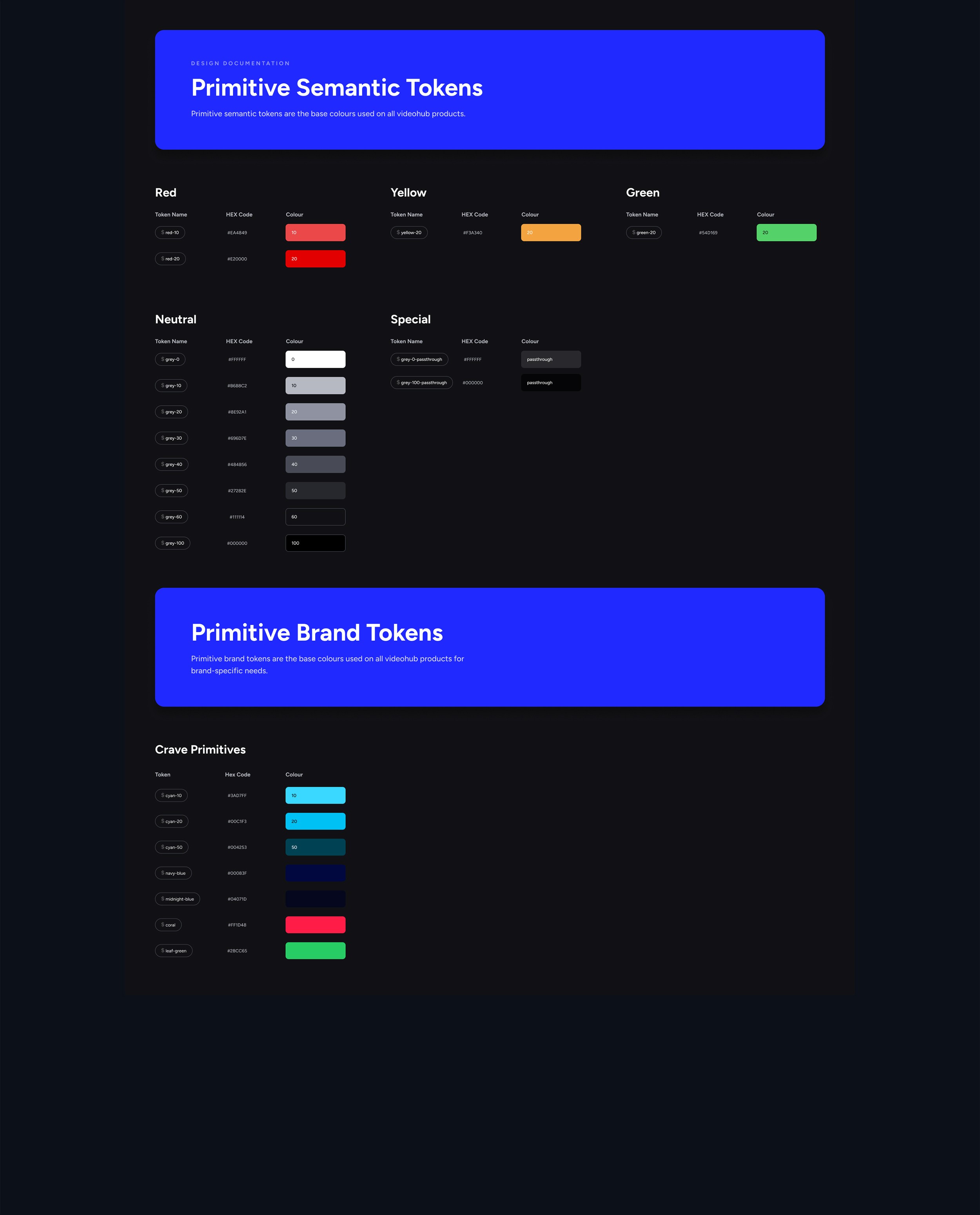
Based on the initial research, we began by establishing the foundational elements: colour, typography, grids, and patterns. These were grounded in the brand guidelines but optimized for web use. For instance, the colour palette was refined to include tonal variations that comply with WCAG 2.1 AA standards, ensuring accessibility across the board.
We introduced tools and processes to help our team consistently apply the design system in their work, starting with the creation of a shared design library in Figma filled with reusable components.
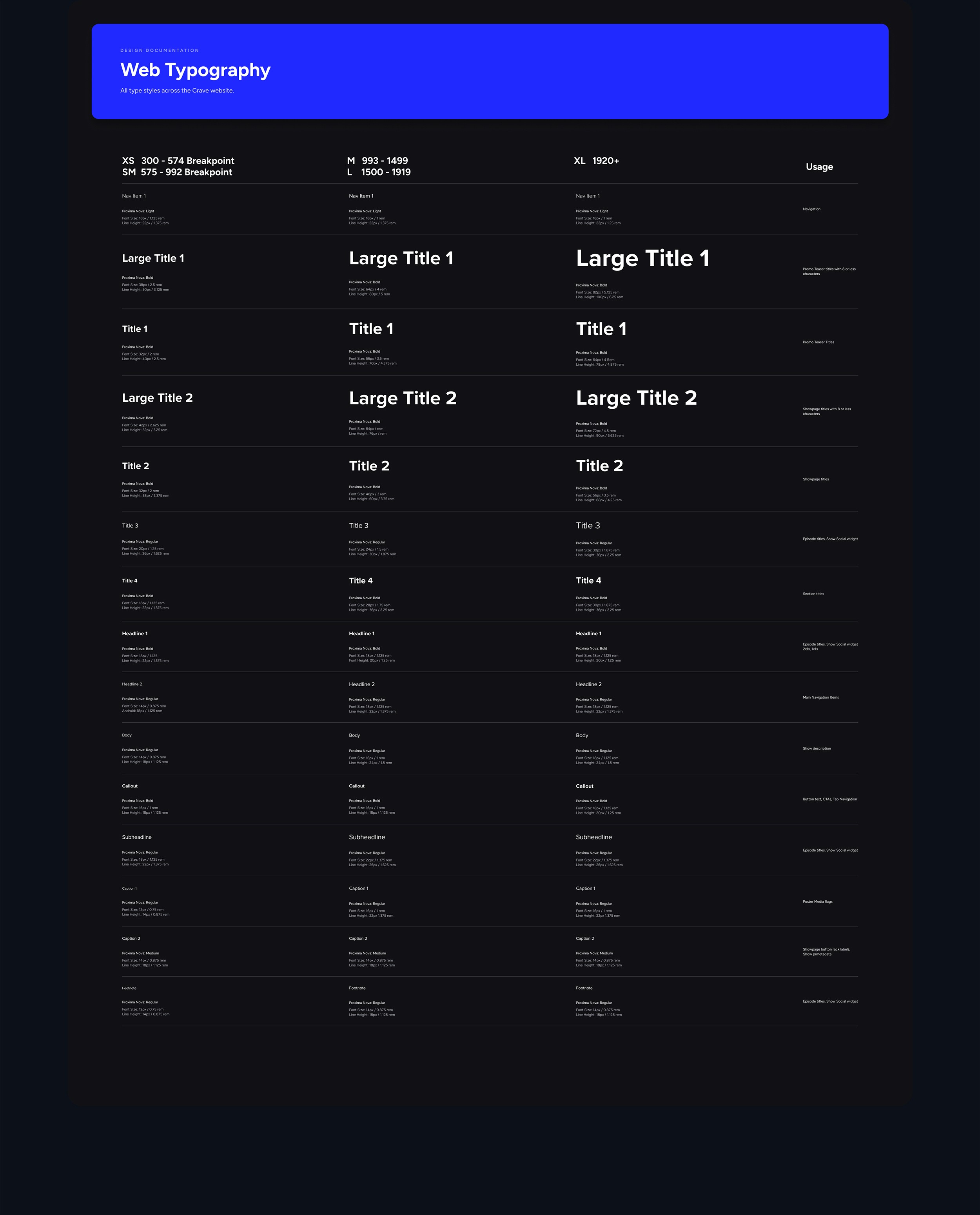
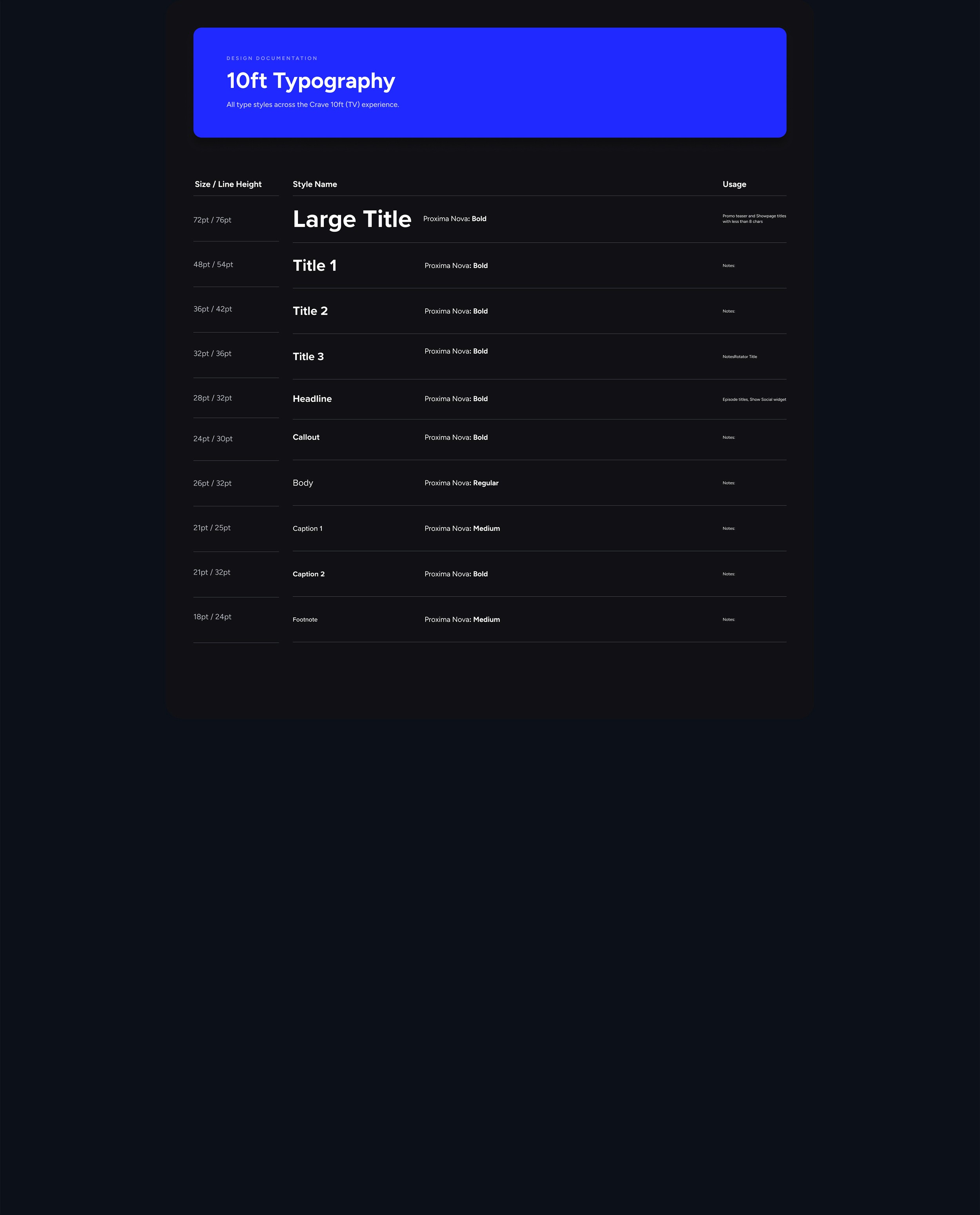
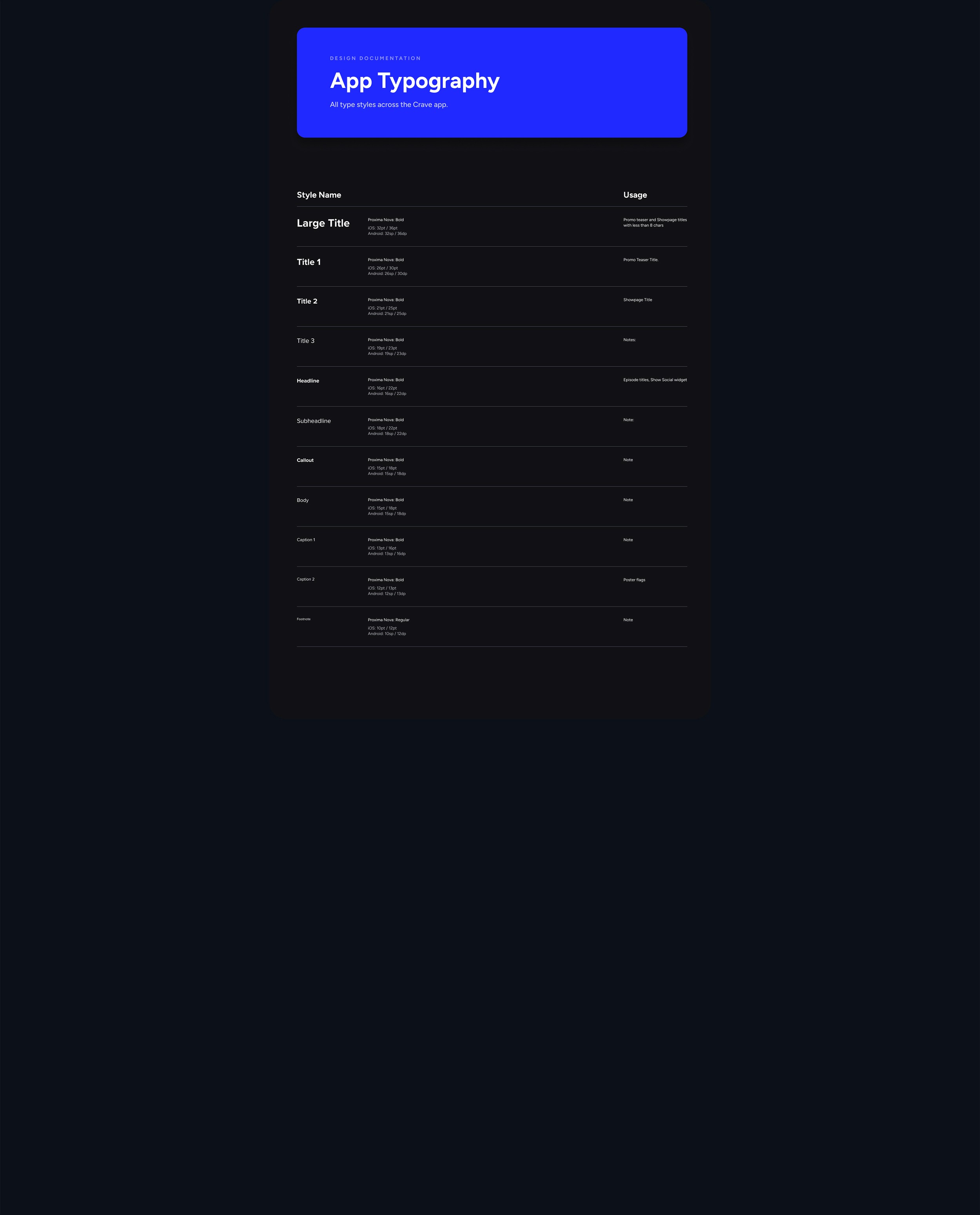
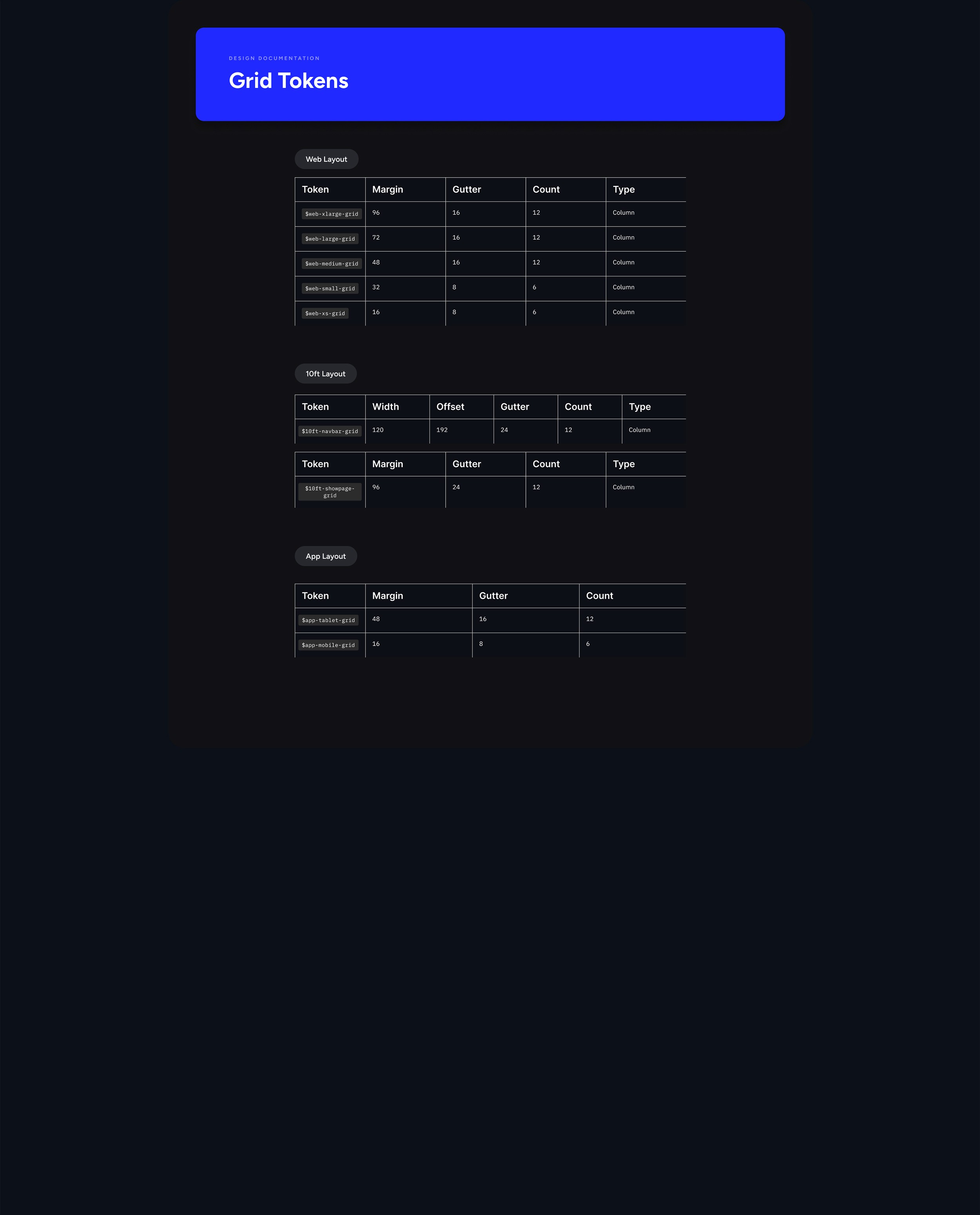
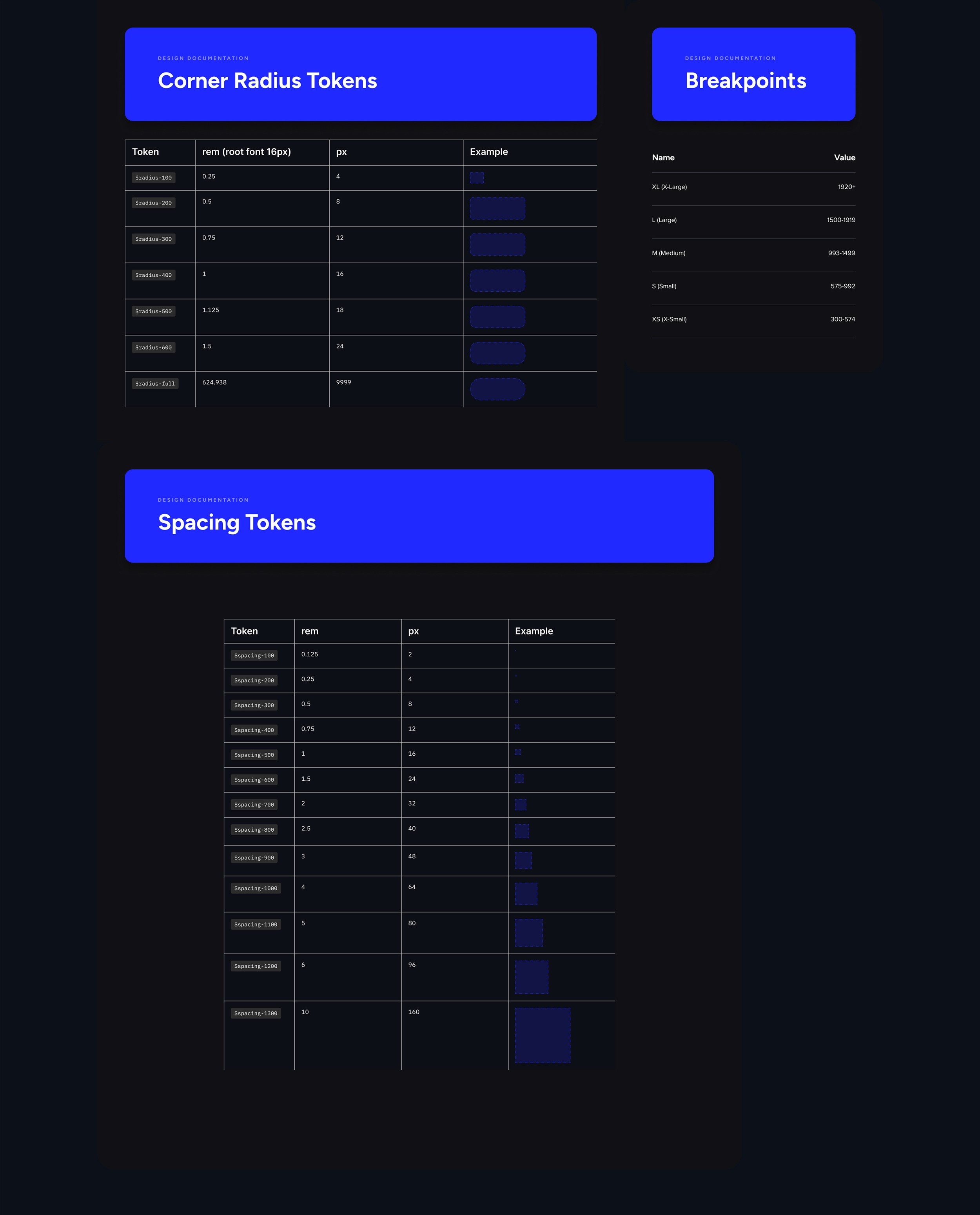
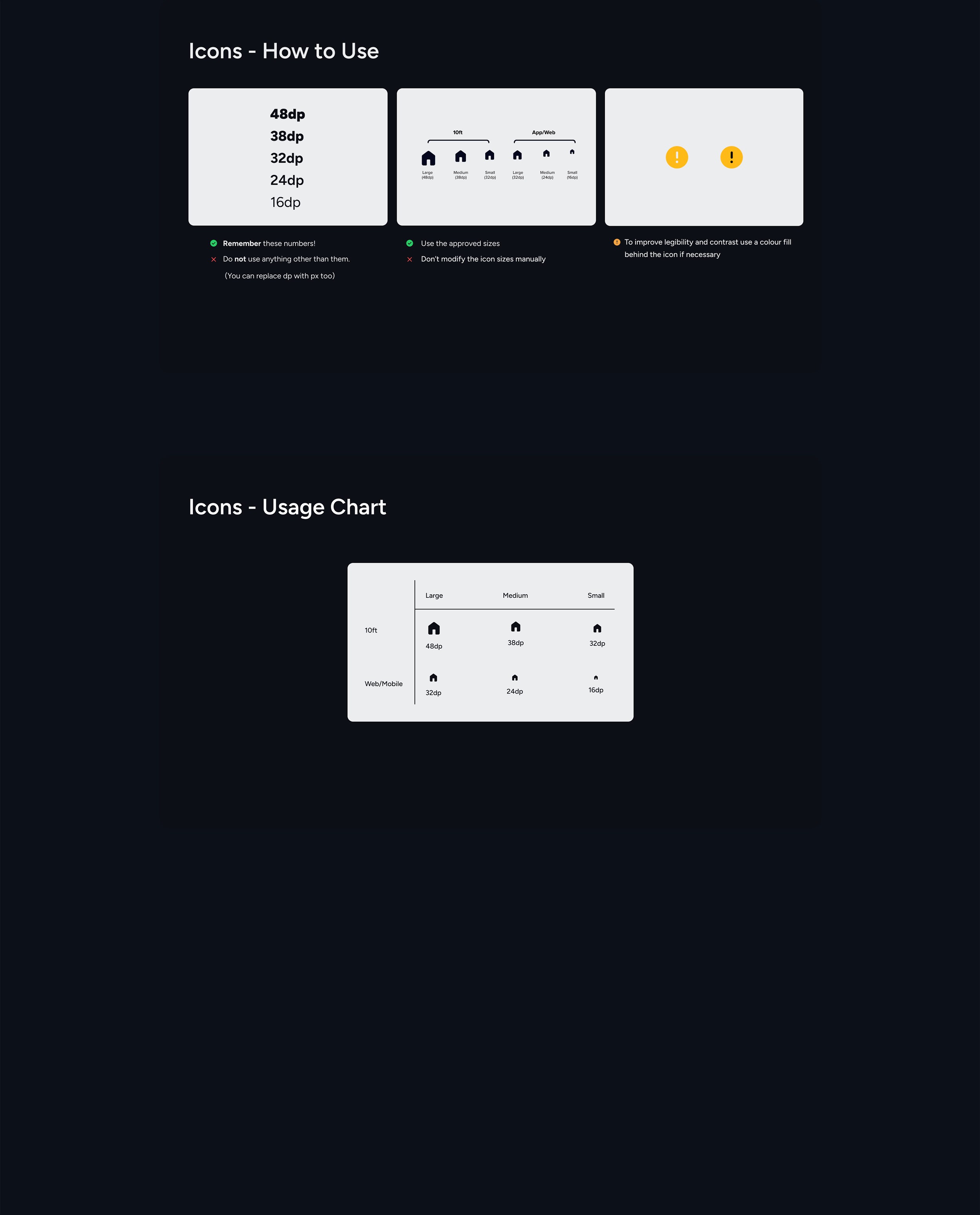
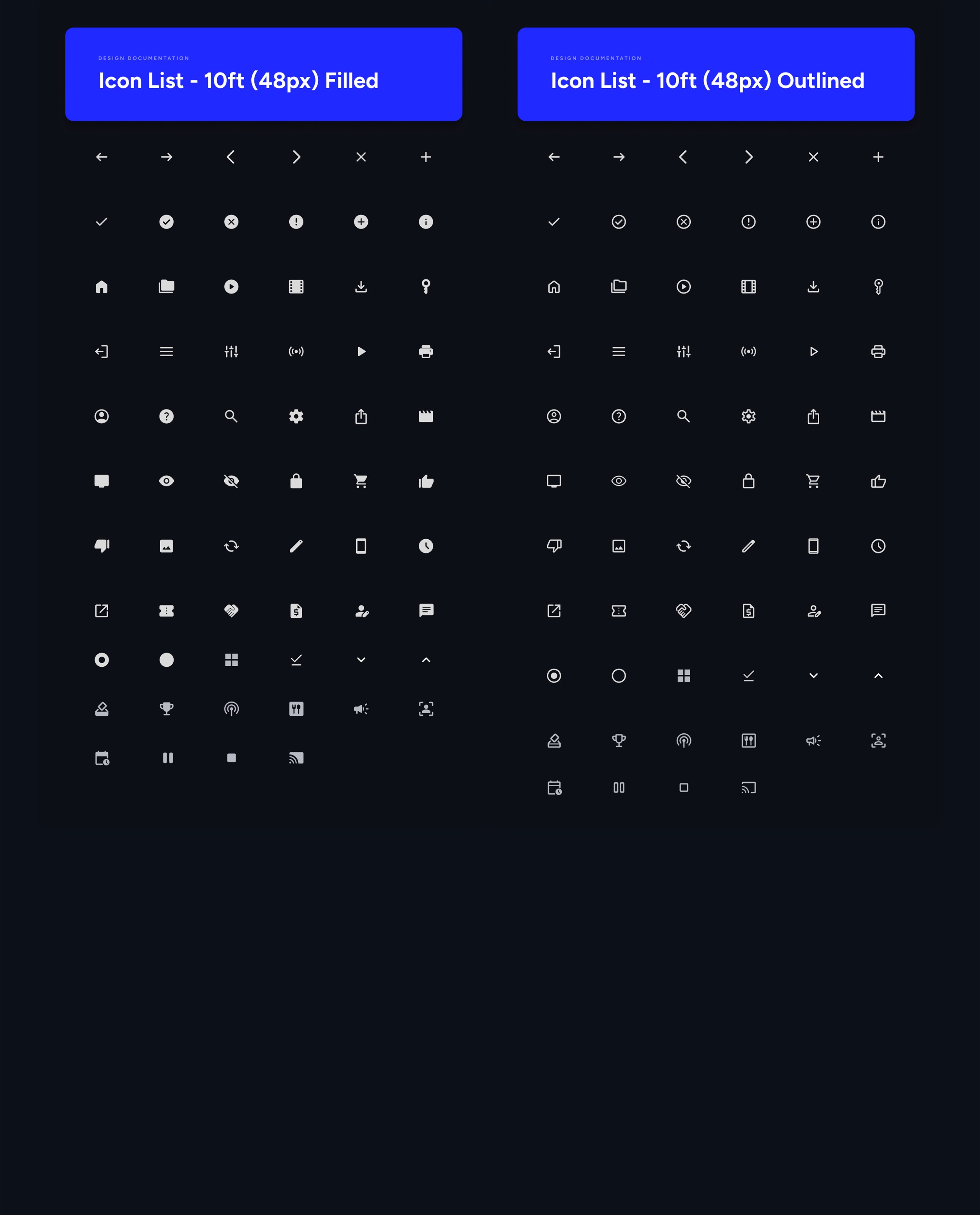
Typography scales, grid systems, and a robust spacing scale were defined to create a cohesive structure. To support seamless adoption, we incorporated the Material Icons set—a library of over 1,000 icons—giving designers, developers, and users a versatile and comprehensive resource.
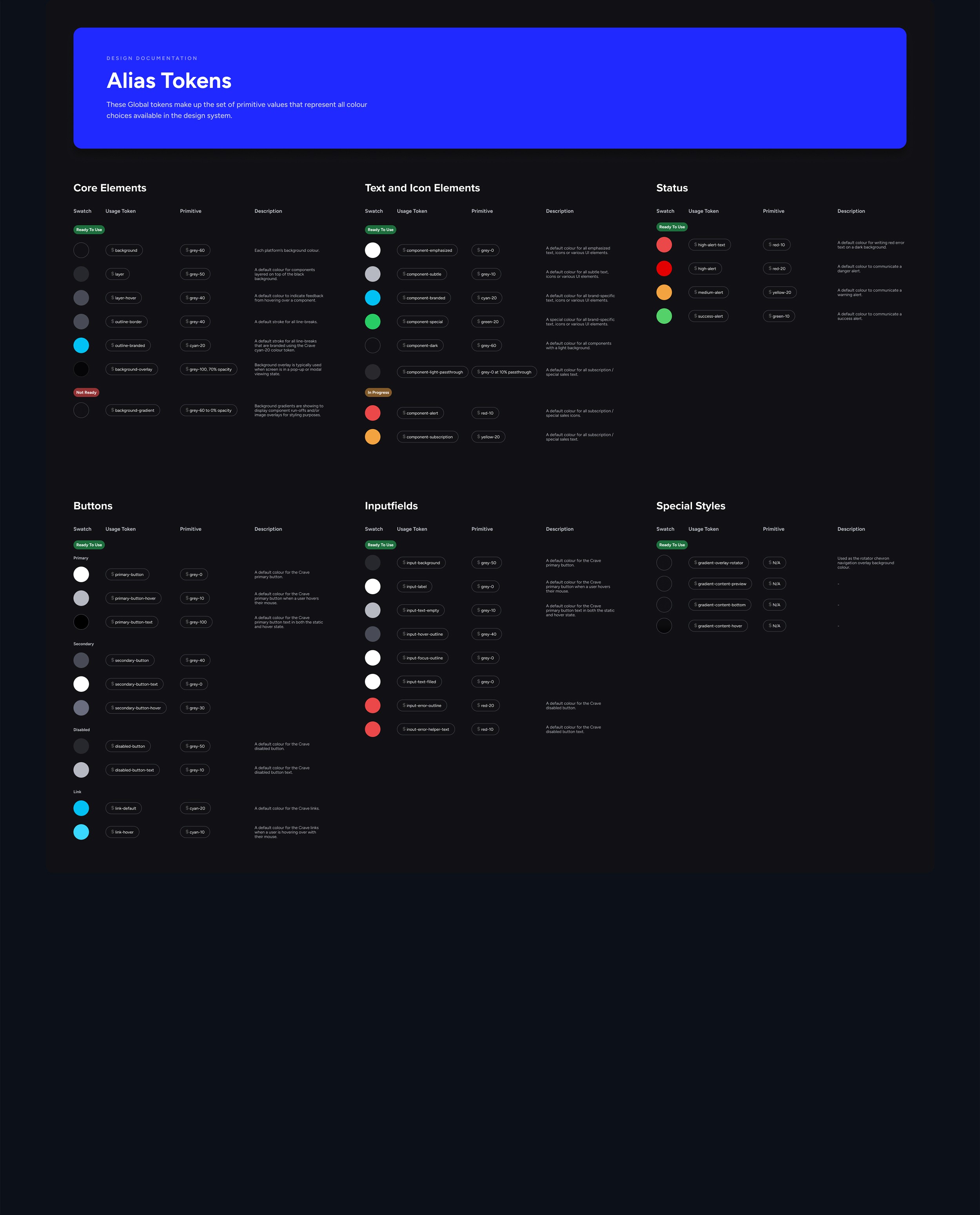
The design language extended to interactive elements, ensuring consistency across light and dark modes for buttons, inputs, and interactions incorporating tokenization.
These foundational choices not only streamlined workflows but also enhanced the overall usability and inclusivity of our products.
As the system evolved, it grew from atomic-level components to full-page designs, resulting in a flexible and scalable library. This approach empowered our team to work more efficiently while maintaining a unified experience across all products.
05
Implementation
The implementation of the new design system marked a significant transformation, ensuring consistency and scalability across the product globally. The process began with updating page designs using design tokens—a critical step in standardizing core elements such as colours, typography, and spacing. These tokens became the foundation for seamlessly applying the design system's principles across all components and interfaces.
To roll out updates efficiently, the team divided responsibilities, with each member focusing on specific sections of the product. This involved revising components like buttons, inputs, icons, and interactive elements to align with the new design language. Additionally, we developed light and dark mode variations for every interaction, ensuring a consistent experience regardless of user settings.
The transition wasn’t just about aesthetics; it aimed to enhance the user experience at a global level. Every component update, from modals to navigation menus, was carefully reviewed and optimized for both usability and consistency. The integration of design tokens and reusable components facilitated rapid iteration while preserving a cohesive look and feel throughout the product.
Close collaboration between the design and development teams ensured the system's principles were effectively translated into code. By working together, we established a robust framework for future enhancements. This comprehensive implementation strategy not only elevated the product's visual and functional consistency but also created a strong foundation for continuous improvement and scalability across the organization.
06
What's next?
Expanding and refining the component library is an ongoing process, one that evolves alongside the needs of the team and the product. While I have since transitioned to a new role, I’m excited to see the team take the next step by implementing the design system in code via GitHub. This integration between design and development is a crucial piece of the puzzle, and it's something I’m eager to prioritize in future design system projects.
By incorporating a code implementation phase, I aim to bridge the gap between design and development even further, ensuring that the system not only looks cohesive but also functions seamlessly across platforms. This hands-on experience has reinforced my belief in the importance of building adaptable, scalable systems that grow with their teams, and I look forward to applying these lessons to my next challenge.